nvidia-smi-rt
Sub-Millisecond Real-Time GPU Telemetry & Process Manager
Running watch -n 1 nvidia-smi is clunky, high latency, burns CPU cycles on process forks, and gives you zero time-series visibility.
nvidia-smi-rt interfaces directly with NVIDIA drivers via zero-overhead C NVML bindings to deliver sub-millisecond hardware telemetry, high-resolution Braille continuous coordinate charts, and an interactive process manager directly in your terminal.
Engineered for Workstations & Clusters.
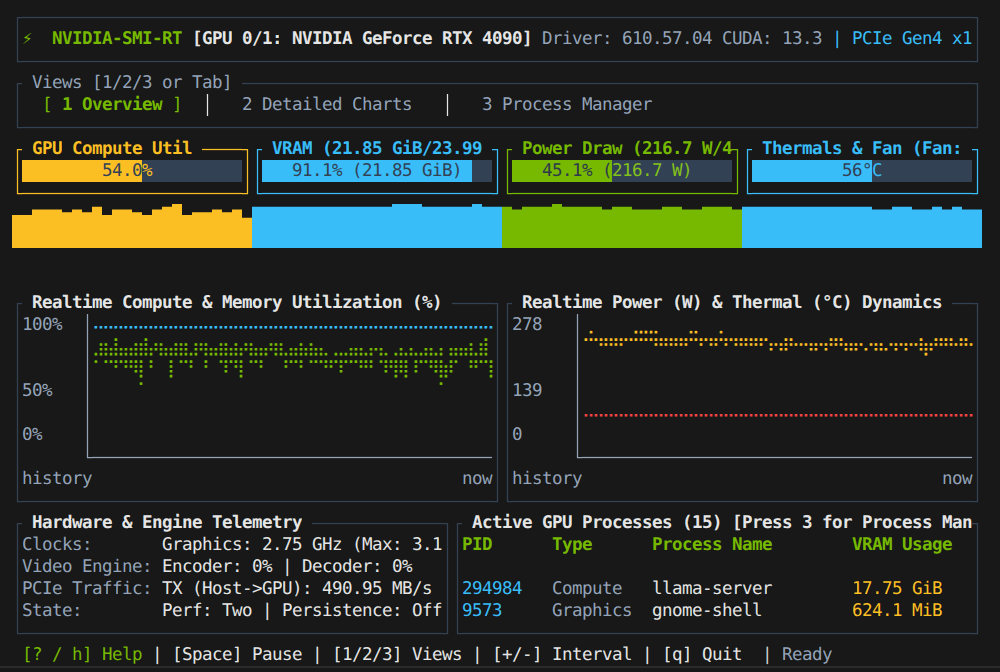
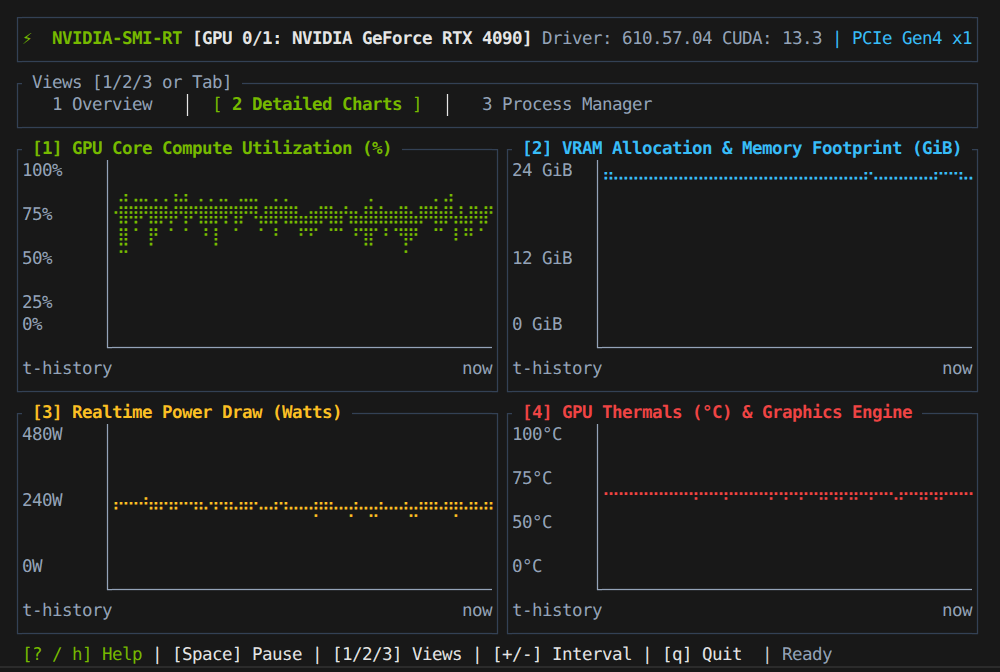
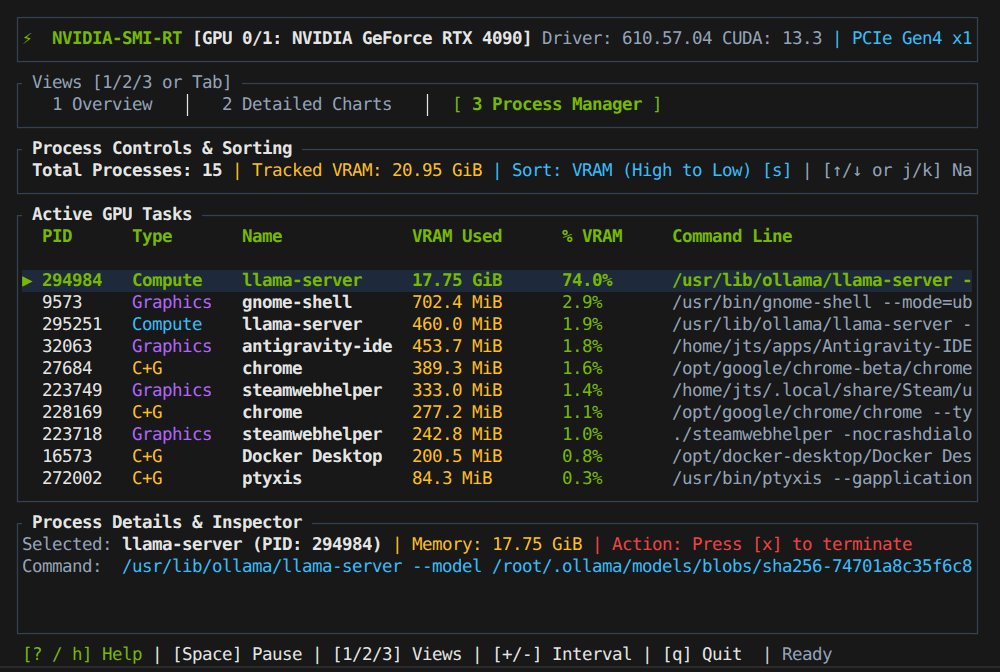
Three comprehensive views give you immediate situational awareness over GPU compute saturation, VRAM footprint, thermals, and active processes.
Engineered for Zero-Overhead Profiling.
Why we avoided Python wrapper scripts, Node GUI wrappers, and heavyweight daemon stacks.
Native C NVML Bindings
libnvidia-ml.so • Zero Subprocesses
By linking directly to NVIDIA's native C management library via high-performance FFI bindings, sampling takes fractions of a millisecond. If running in restricted containers, it automatically falls back to parsing standard nvidia-smi CLI queries.
Continuous Braille Plots
2×4 Dot Sub-Cell Resolution
Traditional terminal graphs use block characters ( ▂▃▄▅▆▇█) which offer coarse vertical resolution. nvidia-smi-rt utilizes Unicode Braille matrix dots (providing 2 horizontal × 4 vertical coordinate resolution per character cell) to draw silky smooth time-series curves.
Multi-GPU Workstation Agility
Instant Left / Right Switching
Whether profiling a dual-GPU workstation or an 8-GPU training node, switch actively inspected GPUs with arrow keys or launch directly targeting specific indices with -g 1.
Dynamic Polling & Freeze
50ms to 5s • Space to Pause
Speed up telemetry to 50ms to catch micro-bursts or dial it down to 5s for low-frequency background monitoring using + and -. Hit Space anytime to freeze metrics for analysis.
Snapshot & Piping Mode
--snapshot • CI/CD & Scripting
When executed inside shell scripts or piped to downstream tools (nvidia-smi-rt | grep ...), the TUI gracefully yields to an optimized plain-text summary table ideal for automation pipelines and healthcheck routines.
Process Murder Protection
Safe SIGTERM Modal Dialogue
Accidentally killing the wrong distributed training rank can ruin hours of compute. nvidia-smi-rt enforces a high-visibility modal confirmation displaying the selected process name and PID before dispatching termination signals.
Keyboard Shortcuts
| Key | Action / Behavior |
|---|---|
| 1 / 2 / 3 | Switch tabs: [1] Overview, [2] Detailed Quad Charts, [3] Process Manager |
| Tab / Shift+Tab | Cycle sequentially between dashboard views |
| Space | Freeze / resume telemetry sampling (examine transient spikes) |
| + / - | Increase or decrease polling frequency (50ms up to 5000ms) |
| ← / → | Switch active GPU index on multi-GPU workstations/nodes |
| ↑ / ↓ (j / k) | Navigate processes in the Process Manager table |
| s | Cycle process sort ordering: VRAM Descending • Ascending • PID • Name |
| x / Delete | Trigger safe SIGTERM process termination modal confirmation |
| ? / h / F1 | Toggle on-screen help guide overlay |
| q / Esc | Cleanly restore terminal state and exit |
CLI Arguments
Install by Source with Cargo
git / local
Compile and install the latest binary directly into ~/.cargo/bin via Cargo:
git clone https://github.com/jtstogner/nvidia-smi-rt.git
cd nvidia-smi-rt
cargo install --path .
Inquire About nvidia-smi-rt
Connect directly with our systems engineers for enterprise GPU cluster telemetry, custom NVML integrations, or licensing inquiries.